Logic for Pro Tools users: Part 3 February 19, 2008
Posted by ConnorSmith in : Leopard, Logic Studio 8, Pro Tools , trackbackOK, now for the fun stuff. Lets talk about making music with Logic. I’ve been composing and recording a lot of quick bits of music of different styles lately (a lot of them are actually for the upcoming Studio Files videos), and I decided to make them in Logic, rather than Pro Tools, which is still having problems with Leopard. It is literally amazing how fast you can get music together in Logic. The media browser in the side panel is a really fast way to grab loops or instrument sounds. If you want to get your ideas down fast, seriously look into Logic. Here I am going to talk about grabbing loops out of the media browser and how to setup great sounding instrument tracks with ease.(On a side note, if you are having problems getting Logic to work with Core Audio, or need help with your Digidesign Pro Tools setup with Leopard, check out:)
OK, now back to making music in Logic. To open the media browser, either hit “R”, or drag from the right side of the arrange window.
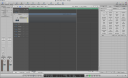
In that window you will see four tabs
- Bin – much like the regions window in pro tools where your audio and midi are contained
- Loops – you guessed it, where the loops are…
- Library – My favorite section. You can call up tons of different instruments and sounds here
- Browser – an additional browser to locate things
The loop window is pretty self-explanatory. Just choose the parameters you want to hear (like a Distorted, Electronic, Intense, Guitar loop) and the loops with those characteristics will show up. Then drag it into the arrange window, and a new track will be formed with that loop. If you want that loop to “loop” (repeat X number of times), just drag the upper right hand corner of it (your cursor will change to a loop). If you have used Garageband, this will feel very familiar.
The Library tab is really really awesome. It makes finding and generating sounds very easy and very fast. Before you go into that tab, make a new instrument track (Choose “track” in the upper part of the arrange window, and then click New. When the dialog box comes up, make sure to check Instrument). Now select that instrument tack and go back into the Library tab. There you will see a list of folders of all sorts of instruments. Pick anyone you want and click on it, and it will automatically load the proper instrument and effects into your selected track. Check the mixer window (Command + 2) and you will see an instrument loaded with plug-ins and effects. Record-enable that track and play away!
In no time, you can pull up a wide variety of great sounding instruments and loops. The next two pictures are of a quick 30 second clip I made today. As you can see, it is a few loops (drums) with some sequenced lines on synths (and more drums). Finally I added a few electric guitar tracks (recorded my guitar amp). Its much easier to be creative when your DAW can move as fast as your mind can.
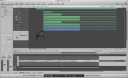
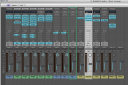
You cab hear this clip in the video of the Babblefish Recording Studios in Franklin, OH (its not the intro song, but the next music you hear).
If you have questions about how to use these techniques in Logic, or have any other questions, email me, or post in the comments here.
C
The Studio Files
Comments»
Thanks Connor, I’m just starting to get into Logic and this kind of information is extremely helpful.
Cool. If there’s anything you want me to write about, let me know, and I will post on it.