A home studio setup you can take on the road February 12, 2008
Posted by ConnorSmith in : Computers, Project Studio, Studio Setup , trackbackI just got an email from Aaron S. asking about putting together a home studio that he could also take to do live stereo recordings. This is a very common setup, and for a reasonable price, you can get excellent sound quality. Aaron said he had about $2000 to work with, including the purchase of a computer.
Aaron’s in college, so you know what that means: Apple Student Discount!! Its great that Apple does that. So I would suggest the “middle” MacBook at $1200. A gig of ram should be enough to get you started. If you need more RAM, sorry Apple, but DO NOT buy it from Apple. I would suggest OWC.
Audio interface. Hmm… Lots of options here. A 2-channel interface should be all you would need for now. Although you have to wait just a bit for Digidesign to release a Leopard-compatible version of Pro Tools, I would still highly recommend the MBox 2. Its just a great interface. Plus, Pro Tools obviously comes with the interface so you wouldn’t have to buy a DAW (and its one of the most used DAWs for audio editing). And, what do you know, there is an educational price on this too.
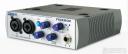
You could also go with the PreSonus Firebox. This is a great little firewire interface, and it comes bundled with Cubase LE. Lots of people are using them with success (stores are always running out of them because they are so popular).
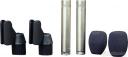
OK, so now you have a computer, an interface, and a DAW. You need mics! Hands down, one of best sounding and best priced options you have for a stereo pair of mics is the Rode NT5′s. For just over $400, you get two great sounding, matched mics with windscreens and a case. These mics are good on anything (especially acoustic guitar, drum overheads, snare bottoms, and any stereo recording). I think these sound great, and I’ve never heard anyone say they didn’t like them.
So $1200 + ~$350 + $430 = $1980 Phew! we made it under $2k… Eh, between shipping, cables, a stand and a T-bar you will go a little over, but not bad. Let me know what you think of this, and we can change it around to suit your needs.
Things to add once you get a little more money would include a good pair of headphones (like Sony 7506 or AKG K240) and an external hard drive (like from Glyph) to record your audio. While you can record to the system drive, that can really bog things down (and be unstable at times).
C
The Studio Files
Comments»
How much is a good cable? What should I look for when I buy them?
I’m a big fan of DP, and I’m looking at the 896 interface. Is this a good choice?
Aaron –
Cables cables cables… so many choices. There are a LOT of opinions about cables. I have personally done some tests where I had identical setups going; one with a chain full of “budget” cable, and one a signal chain with high quality monster cables. In A/B comparison tests, we (the engineers participating in the test) picked the monster cables every time. So, for most people, there are sonic benefits to higher quality (and usually more expensive) cables.
Now! that being said, I think there are some things that go overboard. Some companies release certain cables for “jazz”, “rock”, etc.. Personally, I wouldn’t buy into that too much. Just look for well made, well insulated, balanced cables with quality connectors.
Sweetwater’s Pro Co cables are a nice choice, and they are reasonably inexpensive. If you have the extra budget, I would suggest investing in Monster cables. Other high quality brands to look for are Mogami and Apogee (and of course there are others, but these are the ones I am familiar with).
If you are into DP and can swing an 896 interface, by all means, go for it. Its a really strong firewire interface with LOTS of i/o. There’s spdif, ADAT, AES, plus 8 mic pre’s/line ins and 8 line outs. Really solid. Plus it will work with MOTU’s CueMix program, so you have lots of options with no-latency monitoring. The preamps on the interface are good quality, low noise preamps. Plus, down the road, if you invest in some hi-end outboard preamps, you can either plug them into the 896′s line inputs or digital inputs.
I’m a PC/Linux guy, so bare with me…
A unit I’ve had good experience with is the Tascam US-122L (http://www.sweetwater.com/store/detail/US122L/). It’s brain dead simple and no latency.
My desktop recording PC uses a PCI-based Delta 66 + the OmniIO interface, which I’ve been using since 1998 without any problems.
I’m very curious about the M-Audio Fast Track Ultra (http://www.sweetwater.com/store/detail/FastTrkUltra/). Price vs. features sound right, the preamps are good, but I’ve read there are some latency issues.
PCs are totally cool. Before my most current rig, I ran everything on a P4 3.4Ghz PC, so I’m pretty familiar with them.
I haven’t personally used the fast track ultra, but I have used a few 2-channel M-Audio interfaces. I’ve heard nothing but good things about that interface though actually. Latency should be no problem on this unit. It has onboard DSP mixing, so you can create fairly complex, low latency mixes (with reverb and delay too).
What sort of projects are you doing with your studio? The Fast Track is a great interface, but let me know what your goals are to make sure it is an appropriate interface for you. (Like are you doing only live sound, or “studio” recordings? Solo artists, bands, live stereo stuff?)
(You should read this article: http://thestudiofiles.com/?p=12 Although its an article about setting up a studio, the guidelines in there are great to ask yourself when you are upgrading or considering new pieces of gear)
Thanks, hopefully this helps.
C
The Studio Files
99% just doing recording in my home studio (studio is being very liberal with the term).
What I’ve recorded on my own is at http://www.myspace.com/enginethegun (Ahh… MySpace)
That stuff was with the Tascam, a legal copy of the producer version of FruityLoops, and my mountain of outboard effects and guitars.
I’m using two ancient JBL 4410′s as monitors, and Sony MDR-V600′s for headphones.
JBL 4410s huh? Those are the big black, 3-way cabinets right? I’ve heard them a few times and thought they sounded nice. Hey, if it ain’t broke, don’t fix it. A lot of guys mix on JBLs (even older ones); they are quality speakers and last a long time. (I mix on JBL4328s, so we are in the same mindset)
The stuff on myspace sounds really cool. Very nice effects going on those guitars too. I like it because its very easy to listen to, and great to have on in the background when typing on the internet
Are you happy with Fruity Loops? I know a lot of people really like that program. When I heard you were doing ambient stuff, my first instinct was to recommend Reason. But, if you are invested in FL, then you may decide to stick with that.
If you aren’t planning on recording “larger-scale” things (like drumsets, bands, multiple people etc..) that are going to require more inputs and more complicated headphone mixes, personally, I would just stick with the Tascam as your interface until the need arises. If that is the case, then you could invest in something else for now (whether it be new sounds, effects, plug-ins, mics… anything)
Are you unhappy with the Tascam (and that’s why you’ve been eyeing the M-audio fast track?), or do you just want to expand your options?