GarageBand ’08 Impressions November 1, 2008
Posted by PJ in : Apple, Chit Chat, GarageBand , trackback
Better late than never! I finally made the switch to Leopard by way of a new Macbook Pro (Feb. 08 Edition) and with it the newest version of GarageBand.
By the way I don’t think I’ve formally introduced myself. My name is P.J. I work for a local Dayton company as a Network Admin, Database Manager, Graphic Designer, Webmaster and everything else computer-related. I’m also a full-time Computer Science student and digital audio enthusiast, which brought me to the Studio Files.
Along with being an avid gamer, my biggest hobby is working with GarageBand (and more recently Logic) so needless to say I am thrilled to own the latest version. After my initial run through of GarageBand ’08, I discovered a lot of neat little additions and features that I’d like to cover in this post.
New Start Up Screen
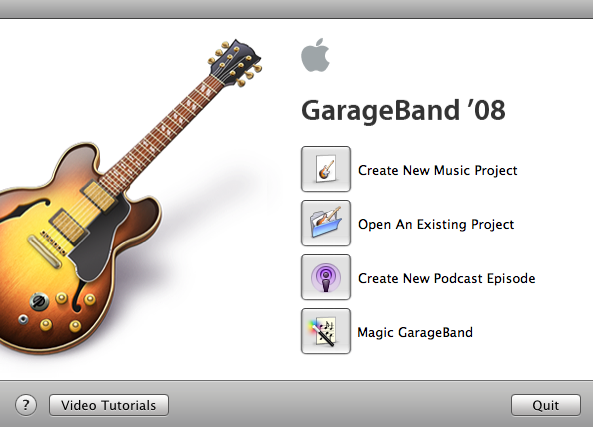
Straight from the get-go you will notice things are a little different on the new start up screen. Apple has added a “Video Tutorials” button which is simply a link to the Apple site that features basic videos for all iLife applications. Even for advanced users, these videos are worth a look if only for the production value.
Magic GarageBand
The movie score button from GB 3 is gone replaced by the Magic GarageBand button. Press the magical button and this happens:
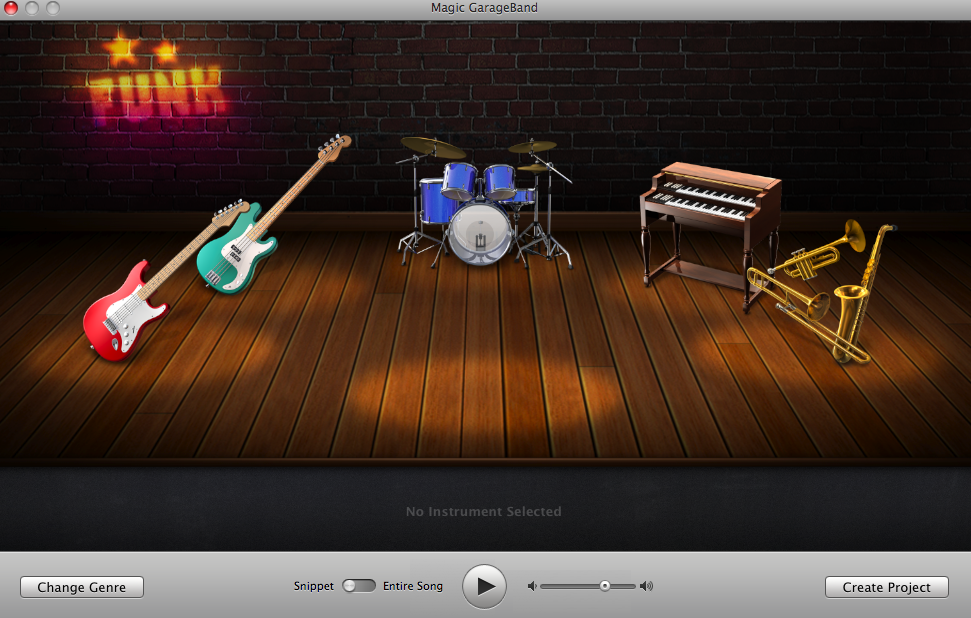
It’s magic! This is likely the biggest addition to GB ’08 and is designed for the first time GarageBand user as an interactive tutorial and introduction to the program. You start by selecting a style of music and then select the accompanying instruments. Center stage is all you and after clicking “create project” GarageBand starts and loads tracks and loops for the instrument you selected and a blank track so you can jam along. Here is a magical video of the whole thing:
It may seem silly but the tunes are pretty catchy and it can be a fun distraction.
New “LCD” Display
Ok, so the magic is over but let’s get into the real meat and potatoes of ’08. The UI has a slightly tweaked and more stylized look starting with the track strips on the left and more noticeably the new display now called the LCD.

All the goods are still intact including the counter, tuner, key and tempo but are now selectable by scrolling with the up and down arrows instead of the microscopic icons from GB 3. Indeed, a definite improvement.
Full Effect Automation
The track strips now have an “Add Automation” click under the volume and pan automations (shown below).
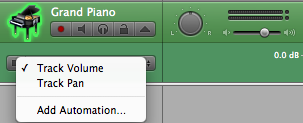
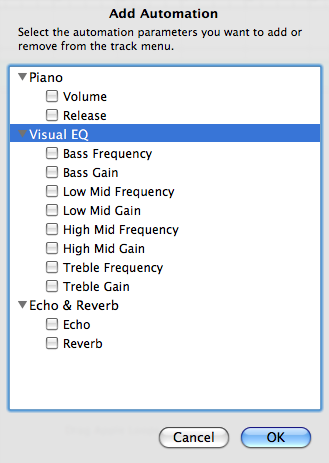
This is by far my favorite new feature. You can now automate any parameter that generates the sound. Previously in GarageBand 3, these were only available in the details windows as non-automated parameters. This opens up unlimited combination’s of effects with your tracks.
Visual EQ!
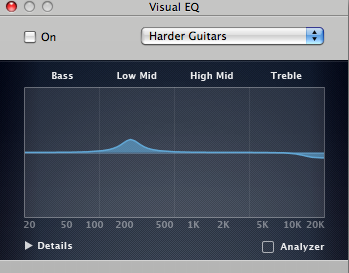
GarageBand ’08 takes a page out of Logic’s book and offers a slick visual interface for the equalizer along with a handy “Analyzer” feature. Very impressive!
Better effects and more of them
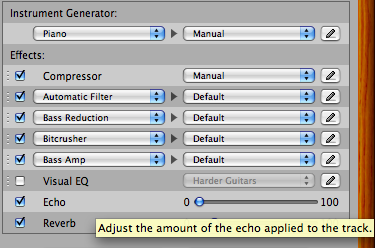
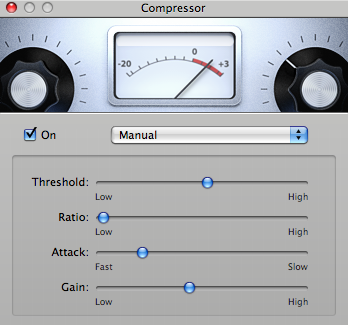
In addition to the new effect automation, you can now add more effects per track (4 versus 2 in GB 3) and some effects have been reworked with new interfaces and more detailed parameters (including a much needed update to the compressor which was simply a slider bar from 0 to 100 in GarageBand 3). Here is a look at the updated details window and compressor interface.
Trimming the fat
So this last item is not exactly a new feature but I found it interesting nonetheless. GarageBand ’08 actually comes with FEWER loops than GB 3. Instead, many loops are grayed out in the loop browser with an arrow next to file that displays this message:
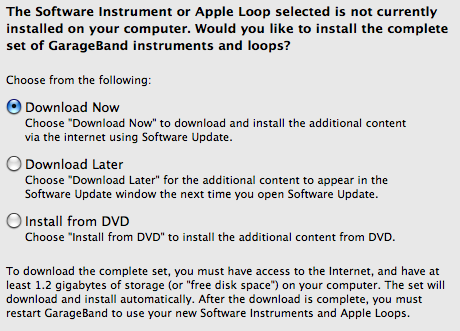
In my opinion, this was actually a pretty smart move. Even though every new Apple computer comes with GarageBand, my guess is that more than 50% of users never even open the program. So this is simply a way to save space – 1.2 GB of space to be exact. Side note: Since I will be installing Logic Pro I won’t need to download these as all GarageBand loops are included with Logic.
Is it worth the $79 upgrade fee?
Considering that for $79 you will get the entire iLife ’08 suite, I would say this is absolutely worth the price. However if none of the other iLife apps interest you, I would recommend putting the $79 towards Logic Express. If you are hungry for more software instruments and effects, better recording ability or looking for a GarageBand “Pro”, then Logic is where its at. The best part is that all of your GarageBand files are fully compatible with Logic Express and you can take advantage of all those additional features to breath new life into your tracks.
Ok, so that’s my initial rundown of GarageBand ’08. If you use GarageBand and have any questions don’t hesitate to contact me via email or leave a comment below. Thanks!
PJ
Comments»
no comments yet - be the first?