DAW Comparison February 14, 2008
Posted by ConnorSmith in : Digital Audio Workstations, Project Studio, Studio Setup , trackbackWhich DAW is best for me?
With so many high quality choices in Digital Audio Workstations these days, sometimes its hard to pick. Gone are the days of any one company having “the best product” out there for everyone. Many companies are really releasing solid programs, with “pro” features and sound made available to consumers. I am comparing 4 different DAWs: Logic Studio, Pro Tools LE, Digital Performer, and Cubase 4. Honestly, I don’t think any of these would be a poor choice for any studio. But, while they are all great, they all do have their advantages and disadvantages. I am just going to list some general characteristics of each, and then a small paragraph about the DAW. It should give you some insight as to which DAW will best suit your needs.
Apple Logic Studio ($500)
- 192KHz/24 bit
- No limit on tracks (except by what your computer can handle), surround support
- Includes massive amounts of high quality plug-ins and instruments
- Includes many other great programs with purchase (MainStage, WaveBurner, SoundTrack Pro 2… etc)
- I/O only limited by hardware
- Opens OMF files
- Multiple MIDI view options (notation, tablature, data, drum editor)
When Apple released Logic Studio 8, a lot of people were shocked. The amount of programs, plug-ins, and instruments you get for $500 is astonishing. Not to mention, its all very easy to use, and it all sounds great. This is a great “all-around” program, as its good for both writing and recording. The fact that it comes with industry-standard CD authoring and scoring software is just an added bonus. The audio editing is much improved over previous versions of Logic. The interface is tailored for people who like to make professional sounding music very quickly. this is a great DAW.
Pro Tools LE ($250 – $2200)
- Price includes interfaces with varying I/O depending on price
- 96KHz/24 bit
- Maximum of 18 inputs/18 outputs at a time
- Max 32 voices (expandable to 48 tracks via Music Production Toolkit), NO surround
- Includes very solid plug-ins, and 2 free VIs (Xpand and Structure Free)
- With purchase, can upgrade to Factory Bundles, which include more and better plug-ins
- Low Latency Monitoring Mode (disables plug-ins/sends on recording tracks)
- Session files transfer to HD and M Powered, but will not open OMF/AAF files unless you purchase upgrade
Ah Pro Tools. Hailed by many as the king of editing, this is really stellar software. The audio editing is amazing, and the MIDI/VI integration is getting better with each version (although still could improve a little more). The included plug-ins are now very nice sounding, with the new EQ III and Dynamics plug-ins. All around, this is a great DAW for tracking bands, writing music, and making beats. NOTE: Digidesign has not qualified Pro Tools LE to work with Leopard as of yet. Although Pro Tools 7.4 will work with Leopard 10.5.1, be wary. An update should be coming soon.
Digital Performer ($500)
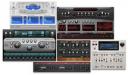
- 192KHz/24 bit
- As many tracks as your computer can handle (surround sound-ready)
- Included plug-ins are really quite good, now comes with 6 virtual instruments.
- Compatible with 3rd party AU plugins.
- When using MOTU hardware, you can use CueMix to create multiple no latency monitor mixes
- As many inputs/outputs as your interfaces can handle (to a certain extent… I think it might max at 96 i/o) and 5.1 surround mixing
- Will open OMF/AFF files
- Multiple MIDI view options (notation, data, drum editor, etc.)
Now this is also a great DAW. MOTU has stepped it up by updating some of their plug-ins (the new Masterworks EQ is great) and adding 6 new instruments. The software is very easy to use, and the MIDI capabilities are arguably some of the best in any platform. This would be why many people use DP for scoring films, sequencing orchestral music, etc. But, DP is also very good for tracking audio. While most would say the editing isn’t quite up to Pro Tools, it is still VERY good. This is a very intuitive DAW. Pair it with MOTU hardware like the Ultralite, or 2408 (and CueMix), and you have a real powerhouse.
Cubase 4 ($799)
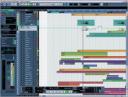
- 96KHz/24 bit
- Tracks only limited by computer, and up to 96/24
- Comes with 4 new instruments, and over 60 plug-ins
- “Control Room” feature in the DAW lets your control monitor mixes and talkback
- Professional Notation options (plus great MIDI editing)
- Surround Sound support
Although sometimes forgotten, Cubase 4 is a really powerful DAW. It comes with very good sounding plug-ins, and a few instruments. The big gem in Cubase is the new Control Room feature. Within the DAW (rather than with other “routing” programs like with other software) you can create up to 4 additional headphone mixes and control talkback to those mixes. Convenient=yes. Again, this is a great choice for anyone, whether you are composing electronic music or recording rock bands.
Questions or comments about these or other DAWs? Either post in the comments section here, or email me.
C
The Studio Files
Comments»
Nice Information, but could you mention also what is their dissadvantages compares with others?
I tend to agree with Hendra. What about managing multi-CPU/core plaforms? What about management of latency etc.? Often times customers will have to make a choice based on the very functionality they need so it would be great to see what areas are poorly or not covered by each of those DAWs. Otherwise, this is a great summary! Bravo!
good idea would be adding ardour, wich is free and quite potential, for people that dont want to use cracked proprietary software (who knows someone who never used that in his life?) thats a legal way to make legal music.. for those who make alot of money with it its fair to buy a comercial software though, if they are happy with it…
Tracktion is often overlooked and has an underserved reputation as a “beginner’s” DAW just because it is easy to use, but in terms of productivity it is the most powerful DAW on the market. It has all the features needed in a DAW and a uniquely easy to use “everything-on-one-screen” interface.
@Nick
Yeah, I’ve never used it, so I can’t comment. I’m sure its a well designed and capable DAW, its just not as popular as the above.
I have heard from a few people that its work flow is very streamlined once you get used to it (as its slightly different than most other DAWs).
Reaper does the same things and costs very much less than those bloated daws!!
Hi Geoff,
I have heard some really amazing things about Reaper. There is also a great user community. It has not been available for OSX, which is the only thing stopping me from giving it a try!
Damon
The Studio Files
@ noname, I think Ardour still has too many blank checkboxes on its official To Do list for it to be compared in an apples-to-apples format with these competitors. Chief among these items is MIDI functionality and VST compatibility.
@ Damon, I am surprised that Ableton Live didn’t make this list. It is comparatively priced (I think the Suite edition is more expensive than all but ProTools on your page) and is comparatively functional to what you have listed. I have read many instances of people initially using it as a ReWire instrument for ProTools and then just eliminating ProTools altogether, or perhaps then using ProTools strictly as a mastering platform after producing entire tracks using Live.
@Alex
I actually have never used Live, so I did not include it. Additionally, its much more focused on live music (although obviously it is a very capable recording program as well). The full version retails for around $500 and the version with bundled instruments is a few hundred more (so yeah, very comparable to the above^^)
I would have really liked to include Reaper, Tracktion, Live, Sonar, Ardour, Audition, FL Studio, and many others… perhaps in the next DAW comparison post
6. geoff – March 5, 2009
<>
Correct me if i’m wrong geoff, bit isn’t Reaper is a sequencing-only package? in wich case it does about a fith of what these other programmes do. I wouldn’t even class it as a DAW …it has one function, and considering it’s free-ware it does it very well!
@Hold up
Actually, Reaper is chock full of features and is comparable to other more “standard” DAWs. It is great software at a great price. It handles audio/midi/etc. – everything you need.
Here’s info from a recent evaluation that I did for myself.
http://www.creative-urge.com/media/big-sampler-midi-workflows.pdf
I hope some of you find it useful.
You really need to check out Reaper.
I’ve got 3 or 4 of the other packages and end up using Reaper because it is easy, but powerful, all the way to syncing video and sound tracks.
I have used an EXTENSIVE variety of DAW’s and I have found that Acoustica’s “Mixcraft” (current version 5.1) is the best.
VERY easy to use, everything is very logical as far as operation and it has all the features of any DAW out there….and it is MUCH cheaper than the rest….but DON’T let the price fool you…I think it’s the best one out there…
[...] [...]
Hi, I tried to add some reverb into the singer,s vocal, to make her sing easier. In Protool HD, it would be easy with Rtas plugin, I tried to do that thing in Sonar and protool le in vain. Please, show me some tips that can make the voice sound wet but still dry recorded.
@ Lee
I’m not quite sure what you are asking. The process of adding effects via aux tracks is the same in all versions of Pro Tools (and has functional equivalents in all DAWs).
Let me know if this post/video helps you out:
http://thestudiofiles.com/?p=186
Right now am using mixcraft 5…it is the best in terms of its easeness..while i tried learning cubase and sonar. But these DAWs were tooo hard to learn. But if anybody can suggest me if if reaper, ableton live etc sounds more better than mixcraft…cus if its like that i have to change the loyality.
I read Cory West’s excellent comparison of DAWS (mentioned above: http://www.creative-urge.com/media/big-sampler-midi-workflows.pdf)/
Cory are you still around here? I’d love to hear an update for 2011. Have you published anymore material? or possibly available for consulting?
Craig Harris
I second Craig’s request!
Sony Acid Pro is awesome and noone knows about it haha xD
Check it out, I;ve used a lot of DAWs before and Im stayin with acid..
Cheers
I am a total and convinced ANALOG man, BUT…
Reaper has had a big sonic impact in my studio, i am really blown away by the user interface, the rock solid stability, and the perfect sounding standard plug-in’s.
I really cannot believe it!
In fact it has beaten an older Protools version on ALL levels.
The sound of Cubase / Nuendo doesn’t do it for me, i don’t know why, but it’s just not sounding analog enough.
I’m using Genex and DCS top of the line converters with Reaper and i must really admit it has the soundpressure and thickness of a Radar 24 bit system, although the hardware controller of Radar is the best ever.
The top-end of Radar is sweeter though.
Nothing has beaten the Fairlight 3 sonically by the way.