Working with phase (and polarity) March 9, 2008
Posted by ConnorSmith in : Project Studio, Studio Setup, Troubleshooting , trackbackPhase and polarity. It is important to understand the differences between them, as they are often confused. They can “look” the same, but its important to remember that phase has an element of time associated with it. Phase is how far along a waveform is in its cycle; if a waveform is combined with an identical waveform that is 180 degrees out of phase, they will cancel each other. Polarity deals with two points of electronics that have a positive and negative charge. By switching those points, the waveform becomes “inverted”. Confusing? Look at the pictures below, a visual always helps.
Click on the pictures, the captions offer explanations:
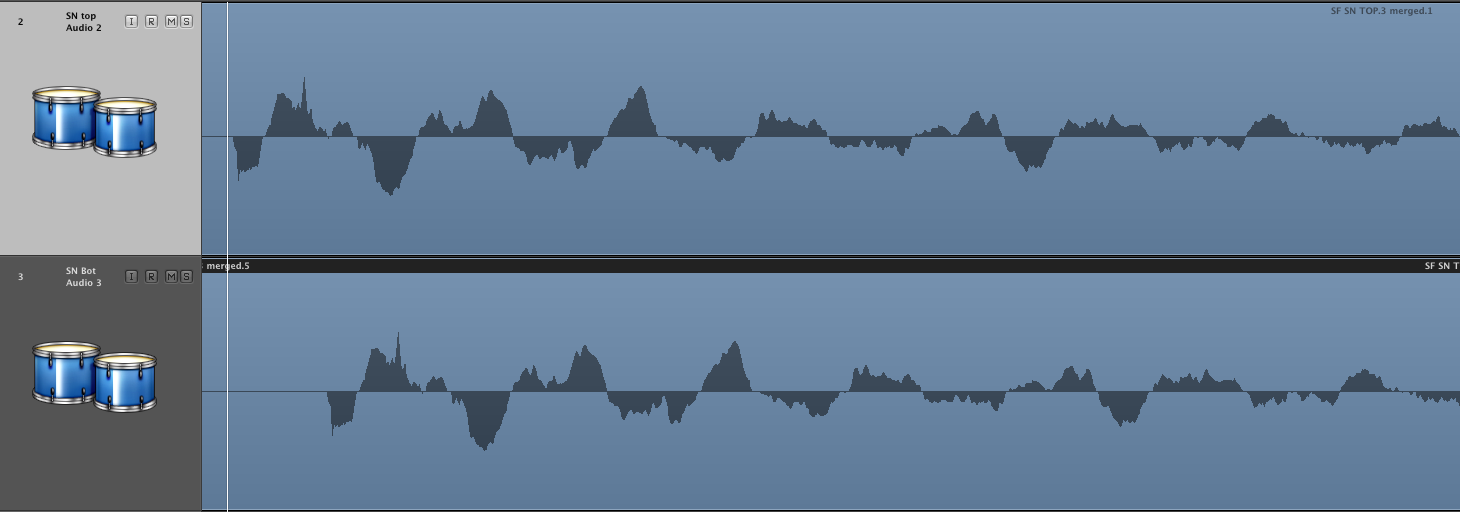
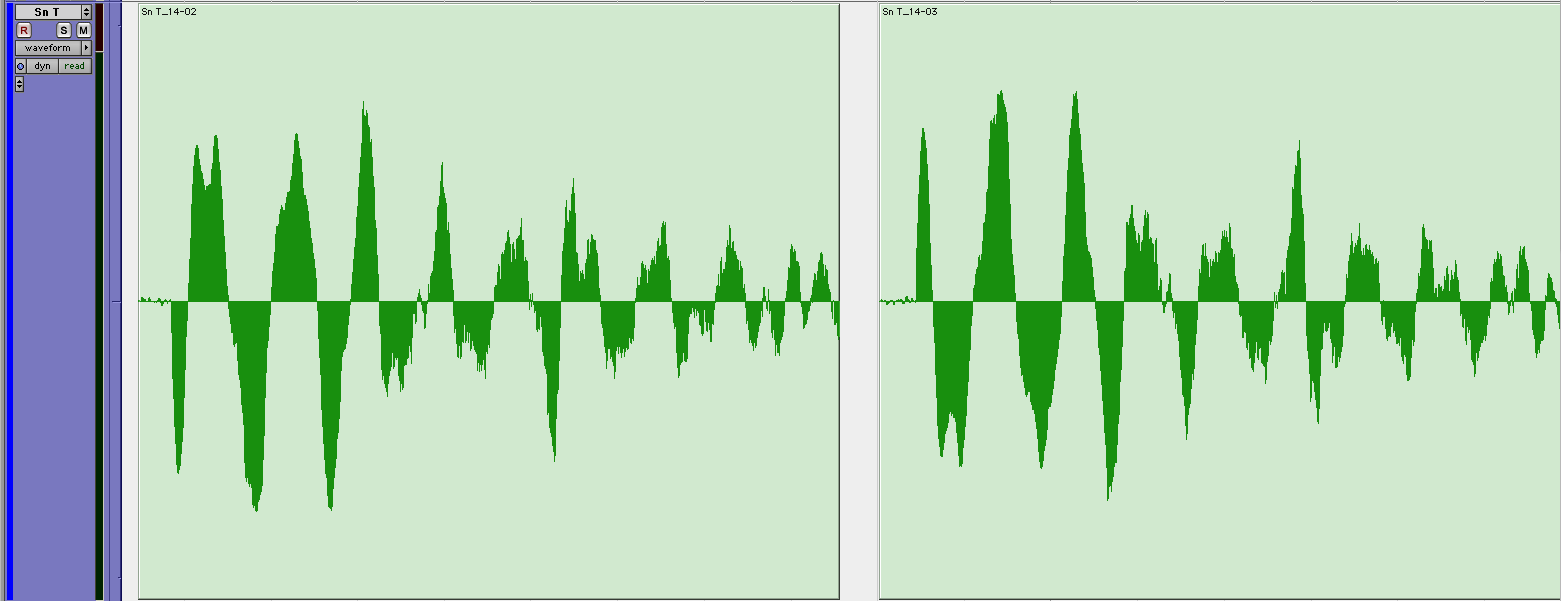
So why do you have to worry about these things? Phase is very important to remember when recording, especially when you are double-tracking instruments or recording with multiple mics (like drums). When tracks begin to phase each other out, you can lose the different timbres of the instruments in your arrangement.
So, what can you do? Let’s take the example of recording drums. If you are setting up both a top and bottom mic for your snare, this is a great time to check phase. Record a few hits (on both mics) into your DAW. Now zoom in and look at the waveform. If the peaks and troughs of the waveforms are out of phase with each other, you likely have some cancellation. (Like in the first picture up there^^) Try moving the mics to slightly different relative positions, or if your preamp has a polarity reversal button (often labeled with an “O” with a slash through it), press that. Note that those buttons on preamps and consoles are often called “phase reverse” or “phase invert” switches, but they actually just reverse the polarity. You can also test for phase without zooming in on the waveform; you can use your ears!
This is easiest if you are tracking through a mixer, but you can also use the mixer in your DAW. Solo the two mics you are comparing. Pan them both to the center. Now, take the pan pot (short for potentiometer, aka “knob”) and turn it hard left or right. As you go back and forth, does the timbre (or tone) of the sound change dramatically?
You can also pan your signals hard left and right. Now, mute one. Does the sound of the un-muted signal change significantly? If either of these things happen, you need to do something (polarity reversal, change mic position, etc) to stop that from happening.
Another time to worry about phase is when you are double tracking instruments. This might be that big distorted rhythm guitar part that you are tracking twice and panning hard left and right. In order to make sure that the guitars have the impact that you desire, you need to make sure that they don’t “phase cancel” each other out. Many times, the inconsistencies in playing from track to track are enough to keep you out of phase trouble (plus, it’s this “humanness” that makes the stereo image so interesting). But, if you find your tracks are canceling each other, you have a few options. One is to change mics in between takes. Even just going from one dynamic mic to another (say an SM57 to a MD421) will have enough sonic difference to potentially help alleviate some phase problems. You could also test different distances or on/off-axis angles with the same mic.
Phase problems can be confusing and very elusive to solve. I think it’s important to practice identifying phase issues with your ears. Be sure to try to hear things first, before you zoom in on the waveform. If you have questions about phase, or how to fix them once you are done tracking, post here or email me.
Comments»
Well, speaking of multi-microphone phase issues on guitars, here’s an article with some more tricks on getting it spot on during tracking. Warning: The following article isn’t for the lazy. Only proceed it you’re die hard about getting the tone spot on during tracking.
http://www.recordingproject.com/articles/article.php?article=25
Thanks Russ. Just starting to get into that article. Very cool indeed, but not a “quick read”.
If anyone has time, do read into phase as much as you can. Its very important in recorded music.
Interesting article! Would I be right in thinking then that technically when people say speakers are wired out of phase, they are wrong, they are in fact polarity reversed?
Right, the + and – terminals are probably switched.
Unfortunately, “phase” and “polarity” are often used interchangably (even though they have different meanings. (Hence how just about everyone calls the polarity switch the “phase switch” on mixers)
Now, improper speaker placement can cause phasing issues though (because of how the waveforms reach points at different times, which can cancel certain frequencies). Its a little confusing, but just understanding the general differences is usually sufficient to get a good base.