First Impressions: Acoustica Mixcraft 4 March 12, 2008
Posted by PJ in : Digital Audio Workstations, GarageBand, Studio Setup , trackbackPJ here, I am going to give you my first impressions of Acoustica Mixcraft 4 (aka Garageband for Windows)
Acoustica has recently released version 4 of their Mixcraft music creation software. You can download an unlimited 7 day trial of the program here. Once the 46 MB download is finished and installed you will be greeted with the New Project dialog screen:
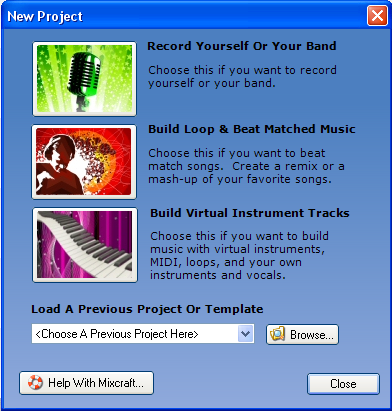
I was anxious to try out the software instruments and effects to see how they compare to GarageBand so I selected “Build Virtual Instrument Tracks”. Now you can see the full interface. If you are familiar with GarageBand, you will instantly feel right at home because this program lends a lot of its design to GB, evident in the way the channels and controls are arranged. In fact, the “Transport” control looks almost identical and is located in the same place as GB, as well as the counter, BPM control, time signature and key.
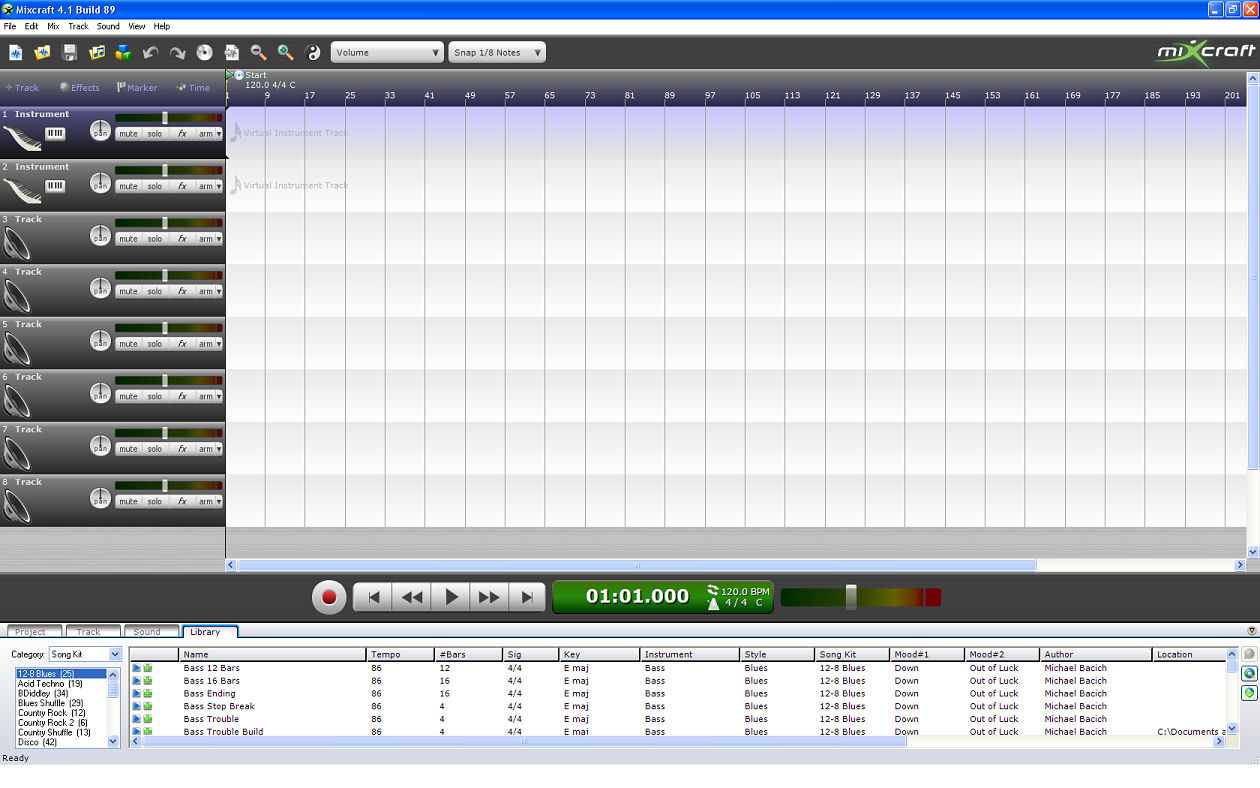
First, I wanted to check out the software instruments. Clicking the keyboard under the track name brings up the software instruments dialog box shown below:
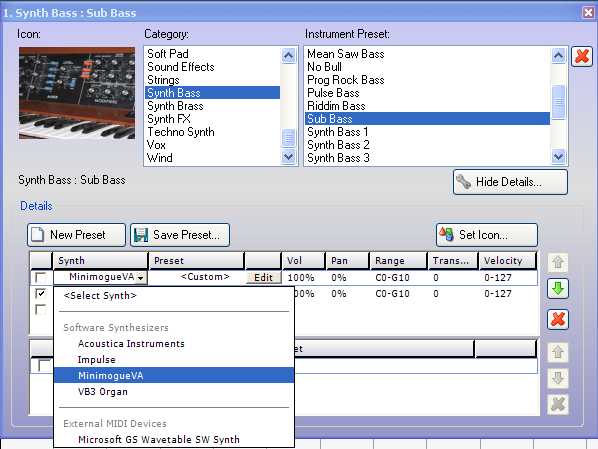
There are lots of preset instruments to play with and the “Show Details” button displays information on a selected preset such as the volume percentage, pan percentage, octave range and velocity range. In this same box is a “Select Synth” button that allows you to choose Software Synthesizers including the MinimogueVA, Impulse and Hammond VB3 Organ. Clicking on “Edit” will bring up the synth’s interface. So far, I am very impressed with the collection of instruments that Mixcraft offers. Here is what the 3 included synth interfaces look like:

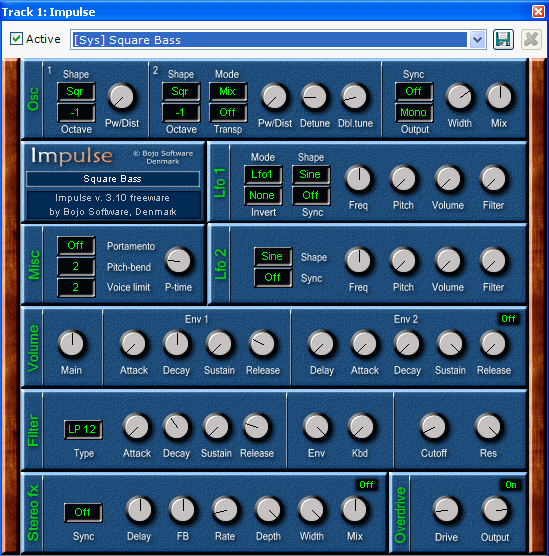
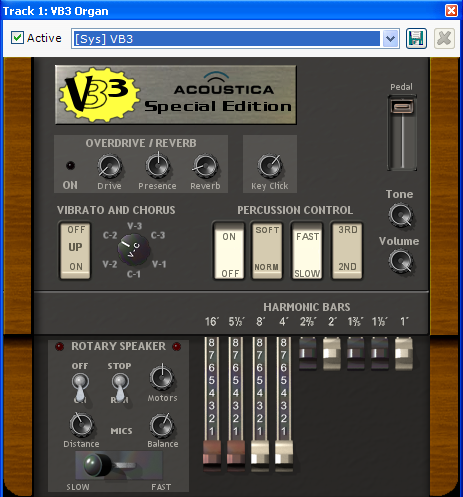
Another cool feature is that you can select more than one synth and it will combine the two (or more) together, creating some unique instruments. This is a process you can do manually in GarageBand, which I will cover in a future post. Keep checking back for more impressions and maybe even a Mixcraft vs. GarageBand showdown. If you have any questions about Mixcraft 4, leave a comment below or email me.
PJ
Comments»
fuk it :))